Vitals
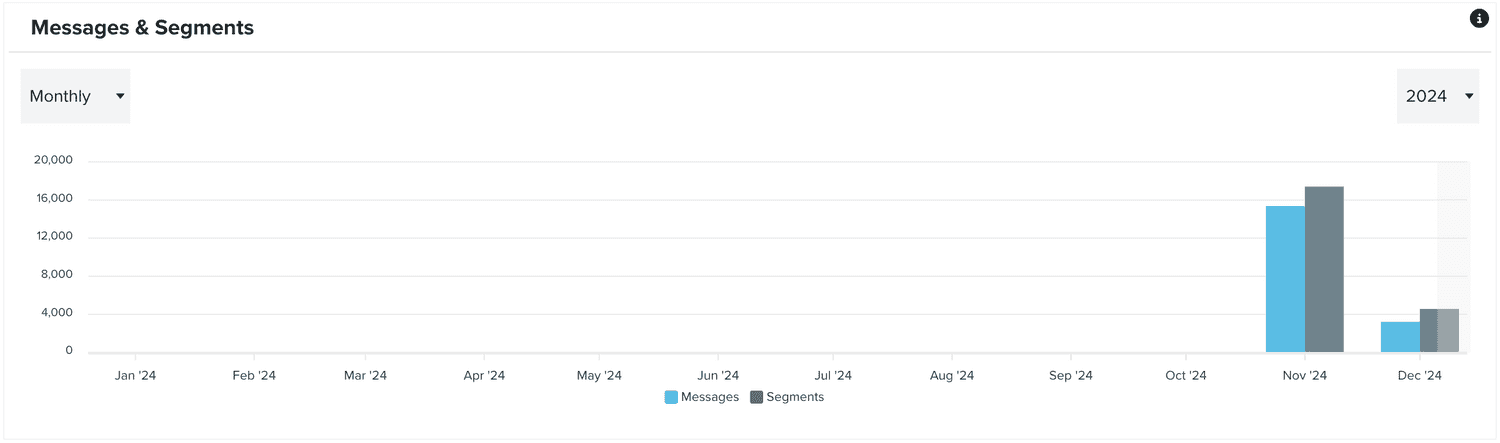
In this area you can find the most important metrics for your app. To access this area, you will need to expand the Analytics & Data menu and click in Vitals:
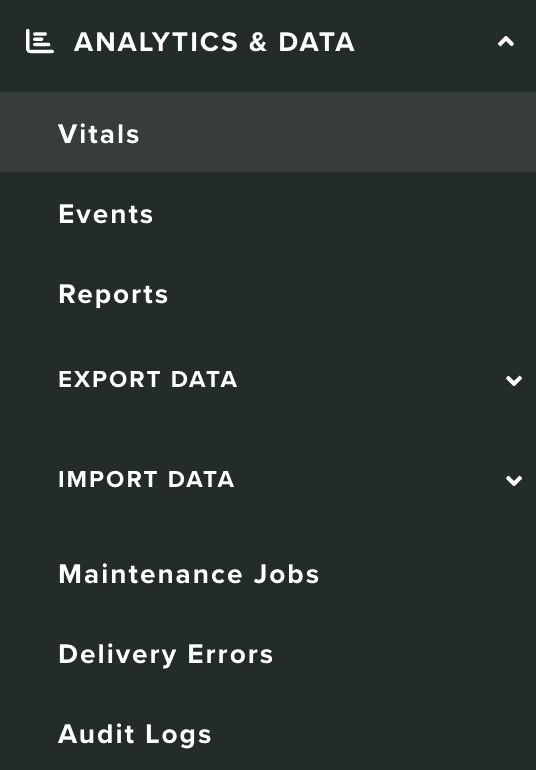
In this area, you will see a round up or your current active Users, Segments and Tags:
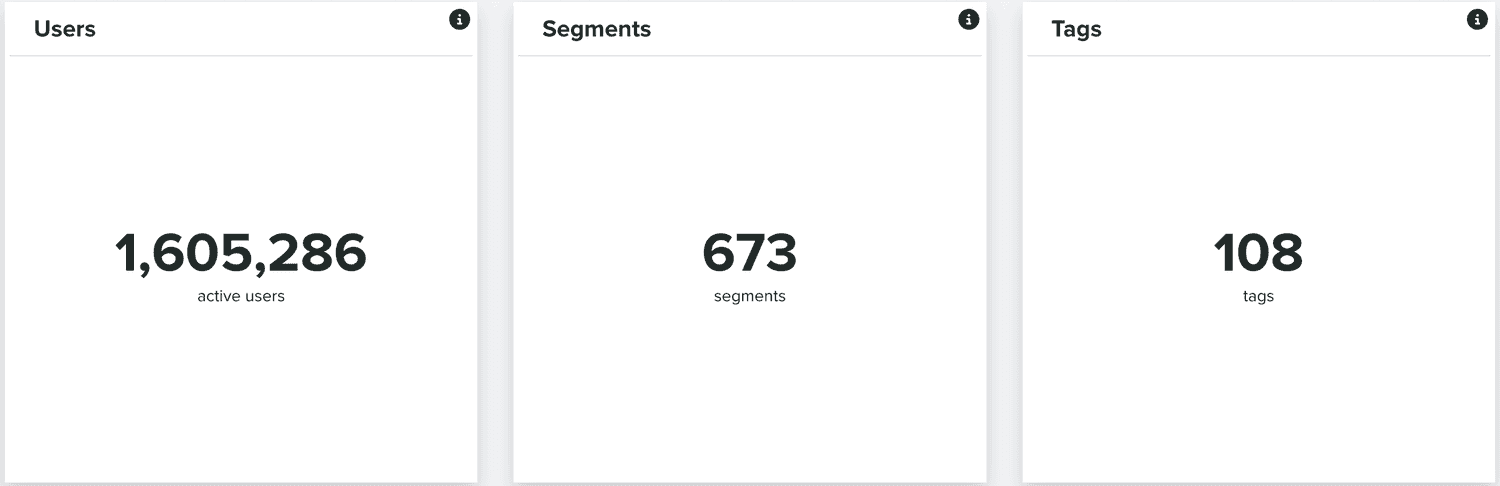
You will also see charts, with your User Growth and Activity over time:
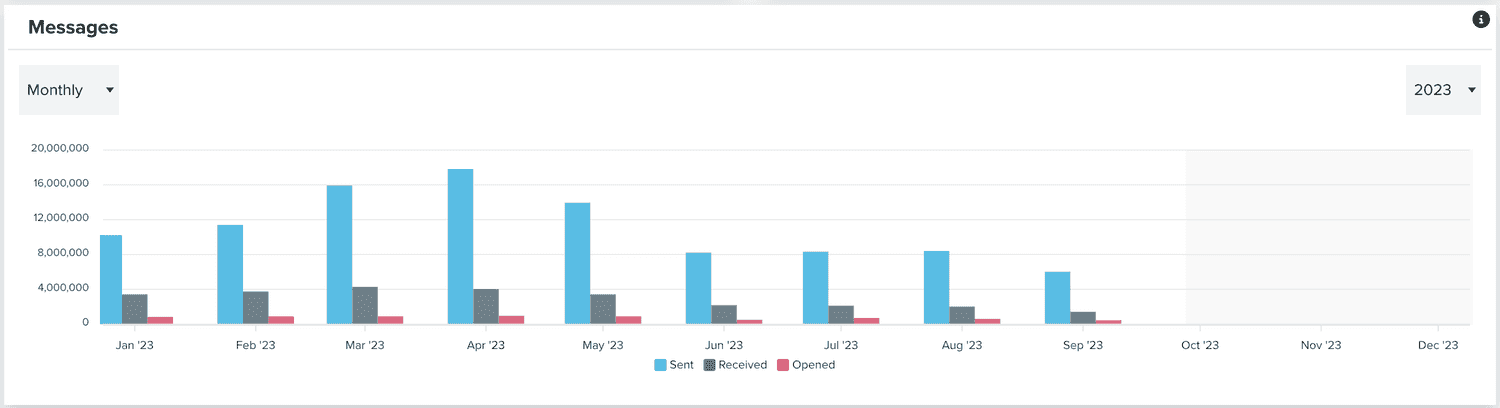
You will see a chart with the total messages Sent, Received and Opened over time:
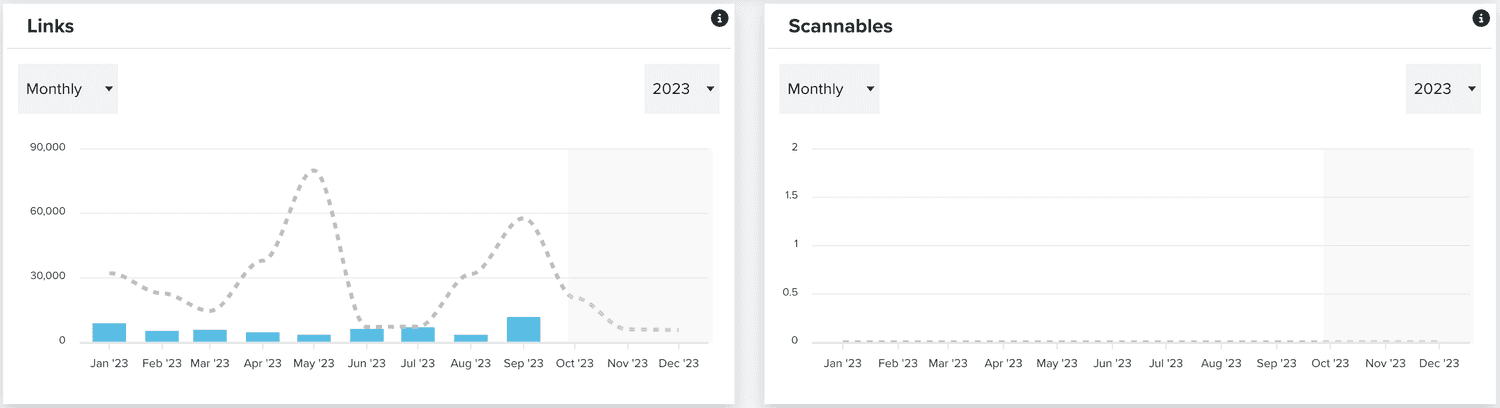
Similarly, you will also see charts with performance metrics for Links and Scannables over time:
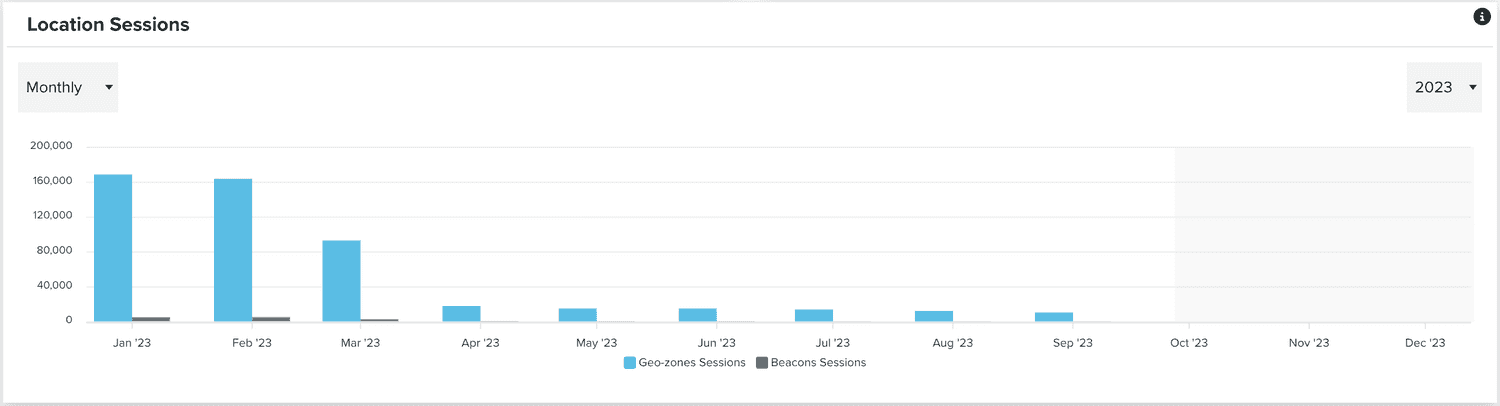
If your app has location services enabled, you will also see a chart with visit metrics to all your Geo-Zones and beacons:
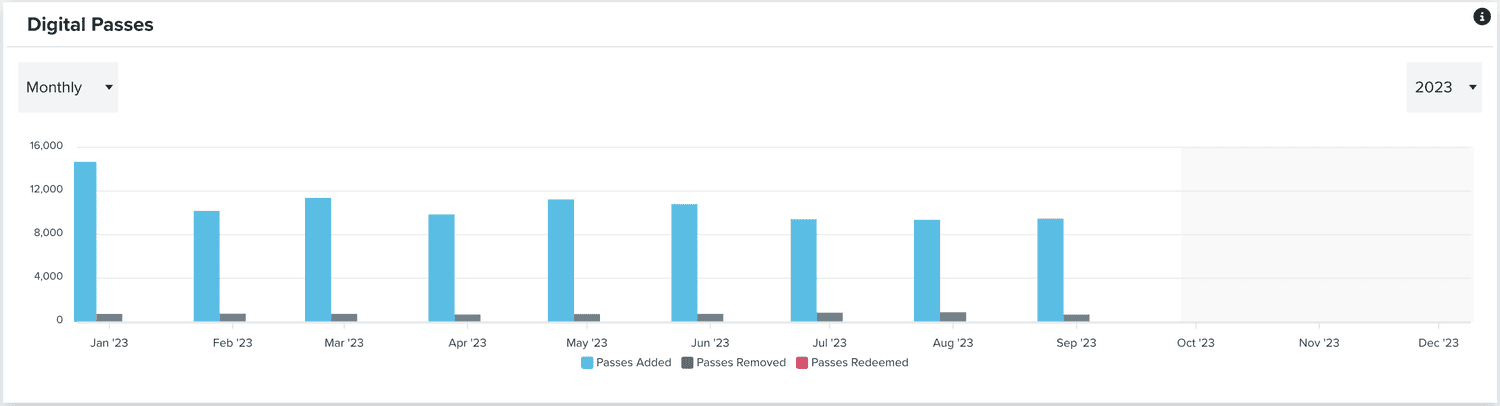
Similarly, if your app has the Loyalty add-on enabled, you will also see a chart with pass related metrics:
There also medium-specific metrics we display for you. You switch between these metrics using the following tabs:

App & Web
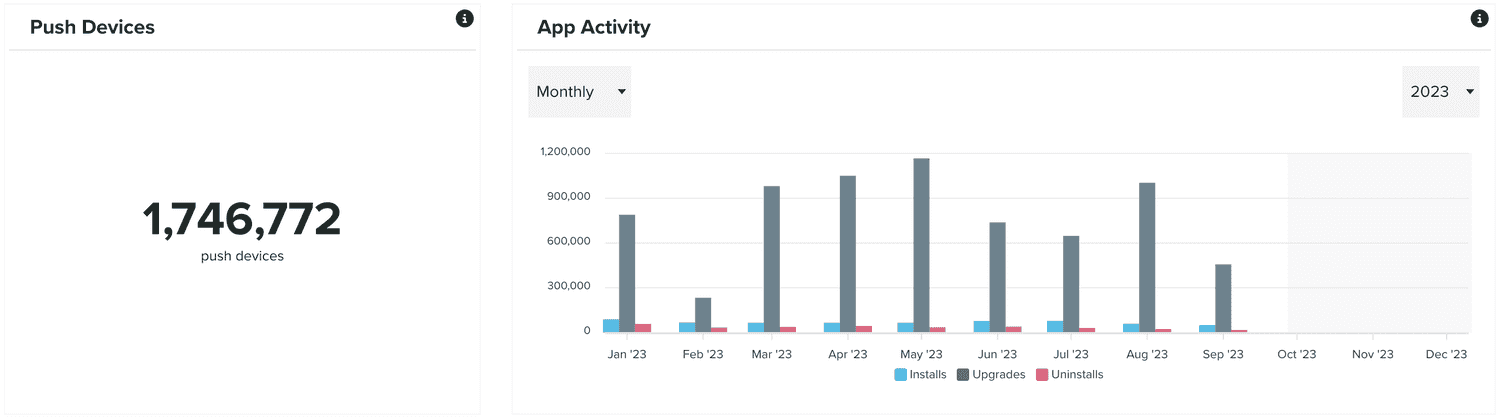
In this tab, you will find metrics about your Push devices and a chart with your app's Install, Uninstall and Upgrade events:
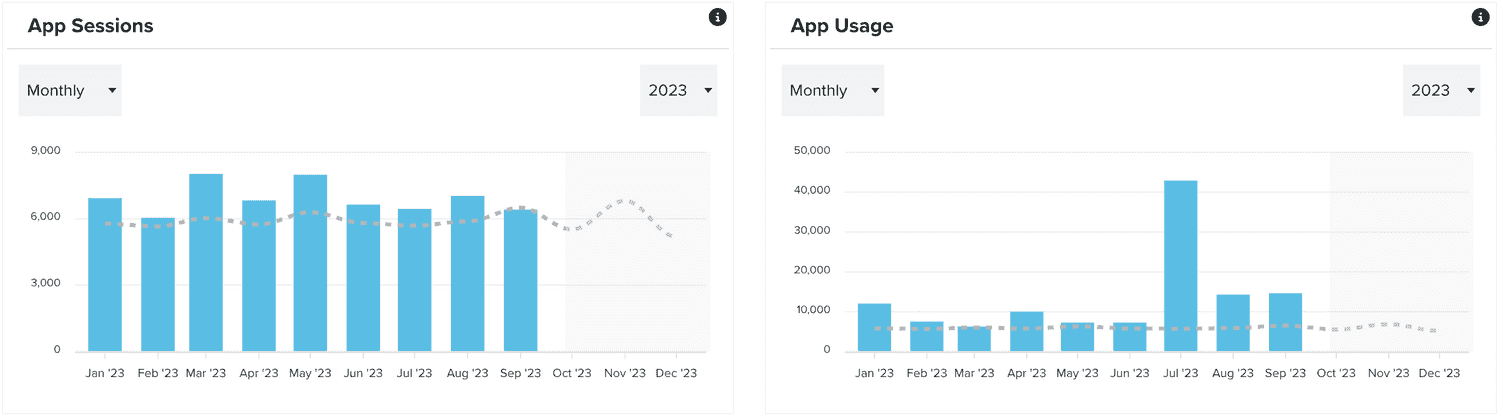
You can also find charts with usage metrics:
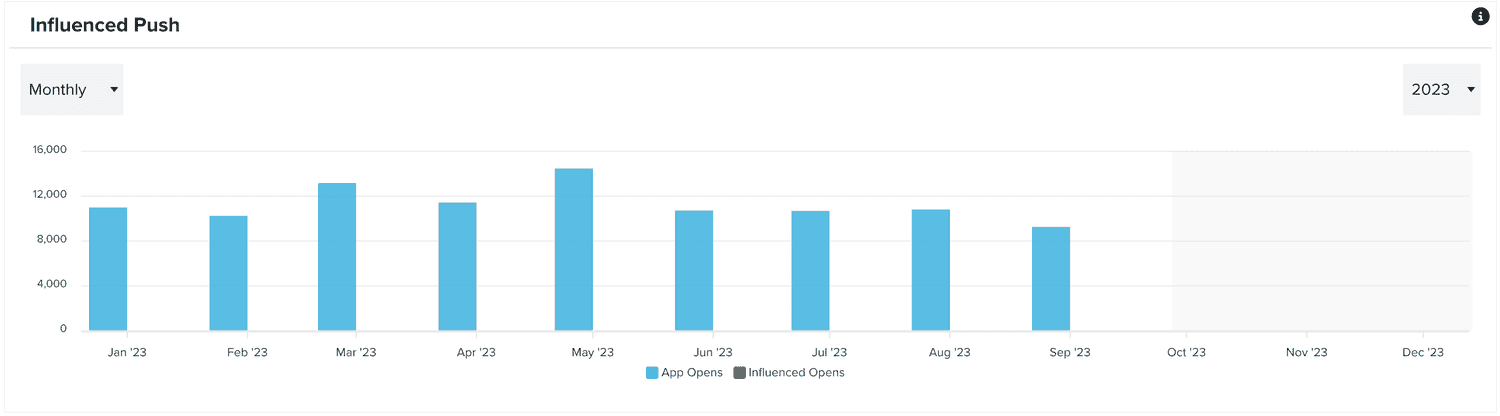
You can also find a chart that demonstrates how push messages influence the usage of your app:
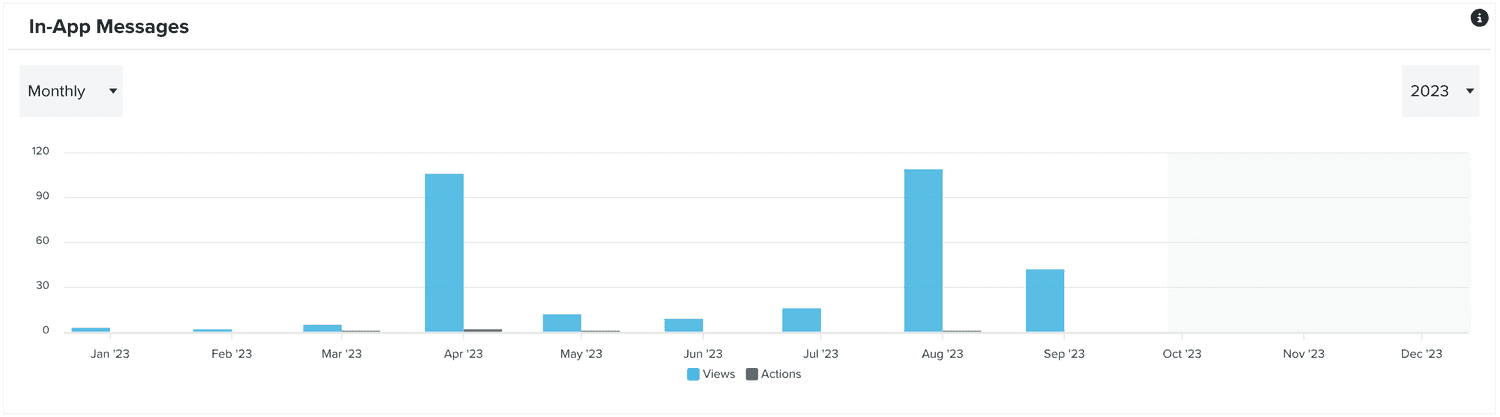
You will also find a chart with the performance metrics of your in-app messages:
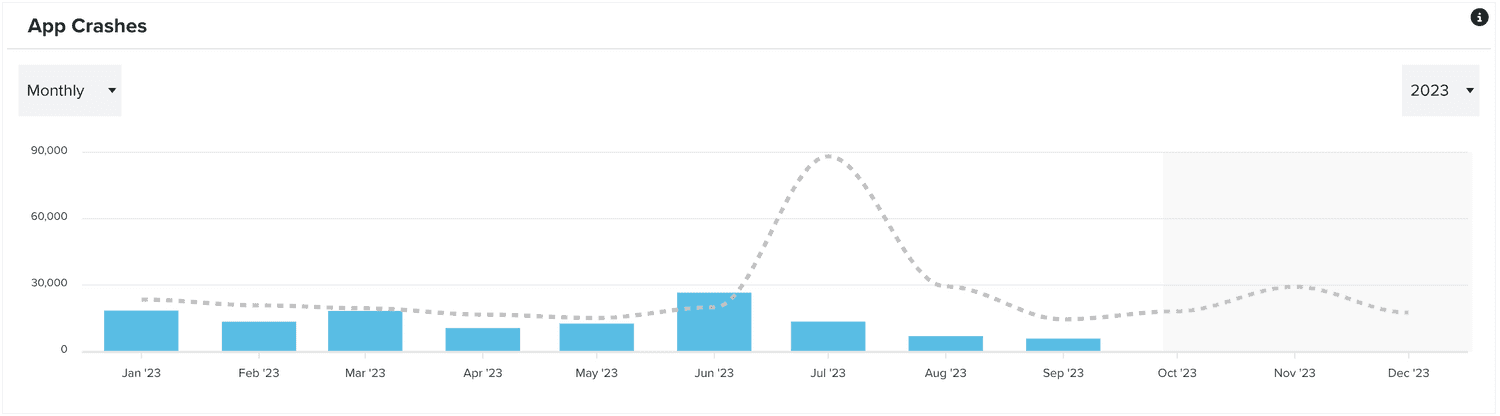
There is also a chart that displays metrics about app crashes (iOS and Android):
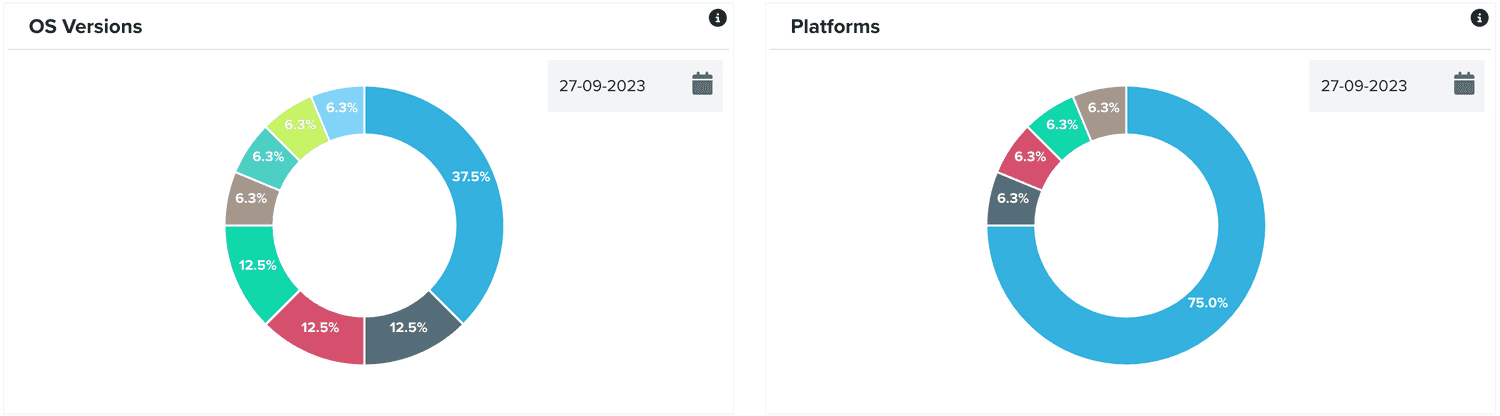
There are also charts that display information about your most used operating systems and platforms:
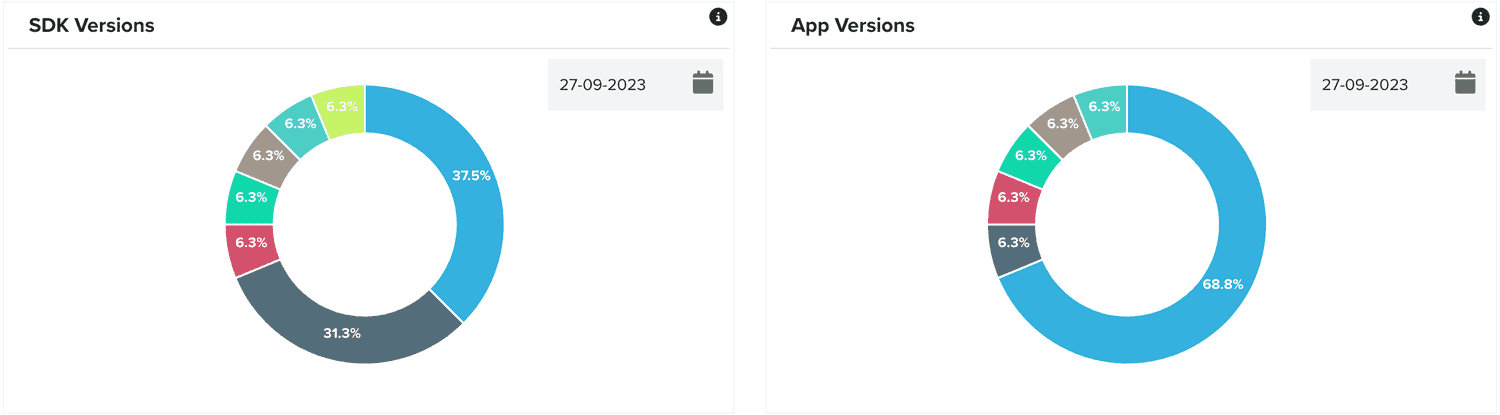
As well as SDK and app versions:
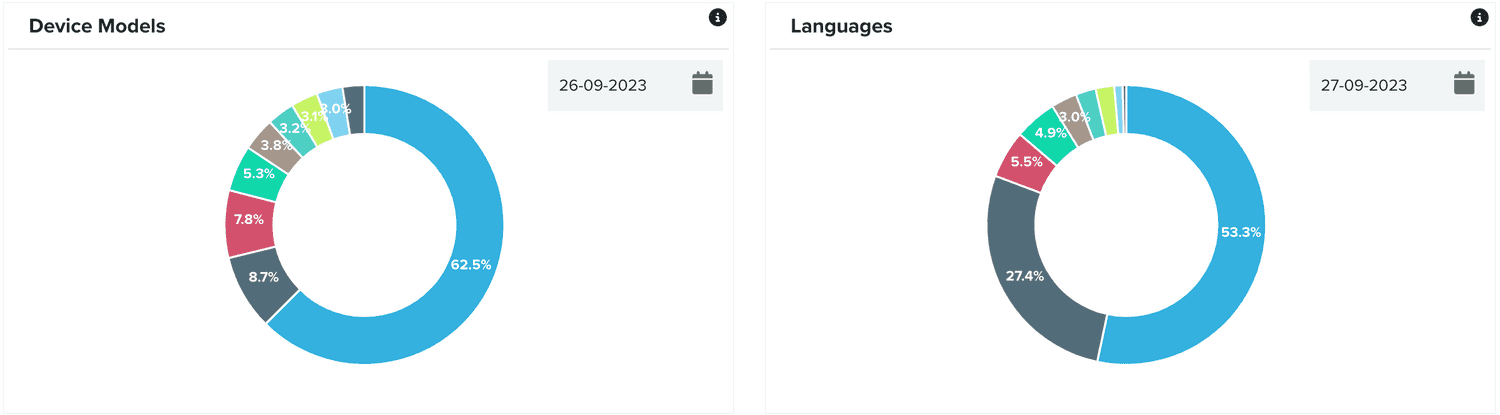
And device models and languages:
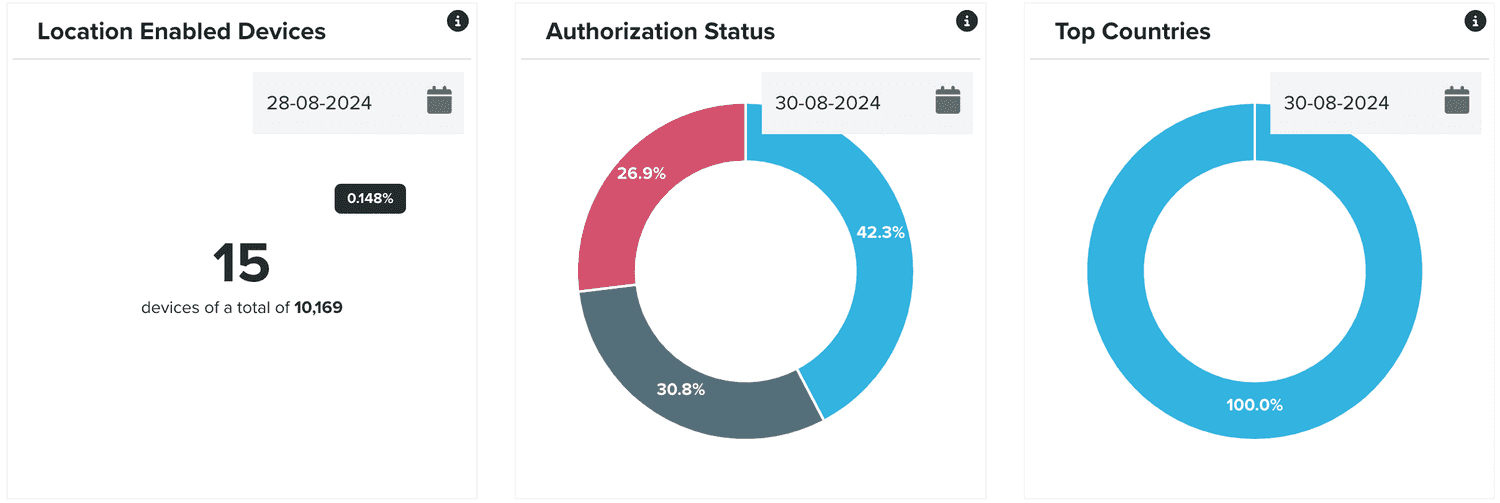
And if your app has location services, we also display the amount of users that grant you that permission and the top countries where they come from:
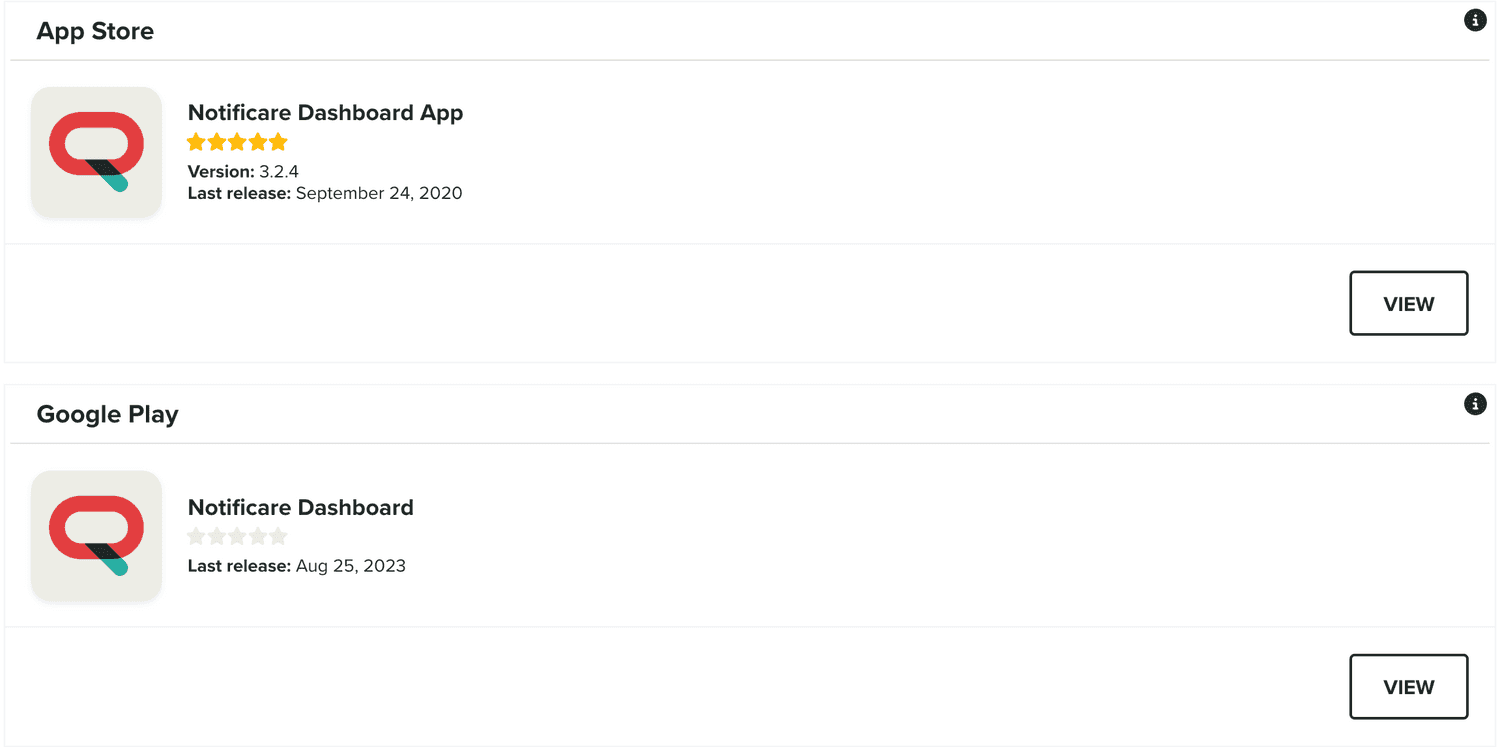
Finally, if you've provided information about the app stores, as described here, you will also see basic information about your app in App Store and Google Play:
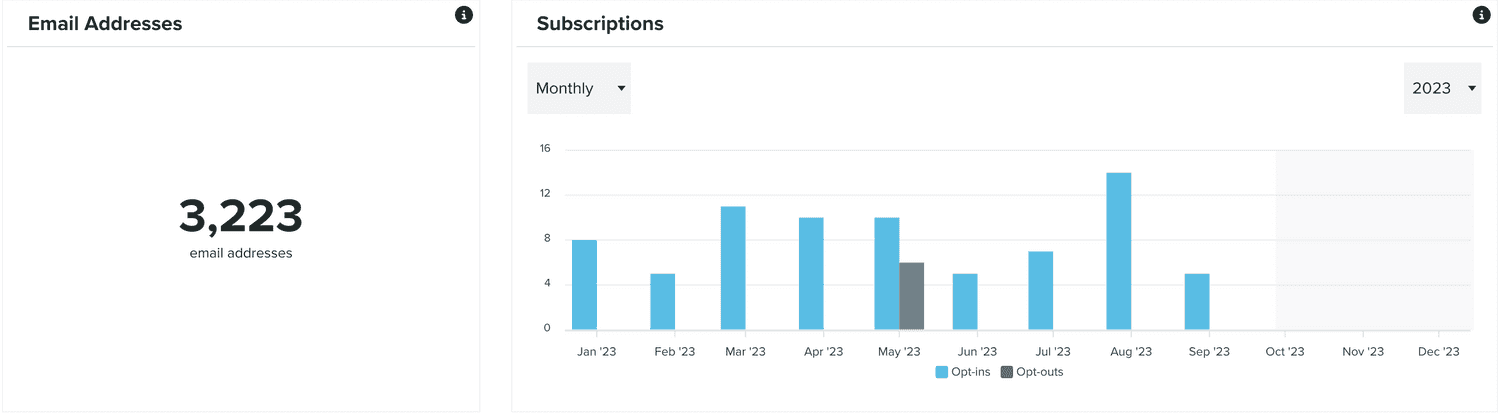
In this tab you will be able to find the total amount of email addresses registered in your app, and a chart with your opt-in and opt-out metrics:
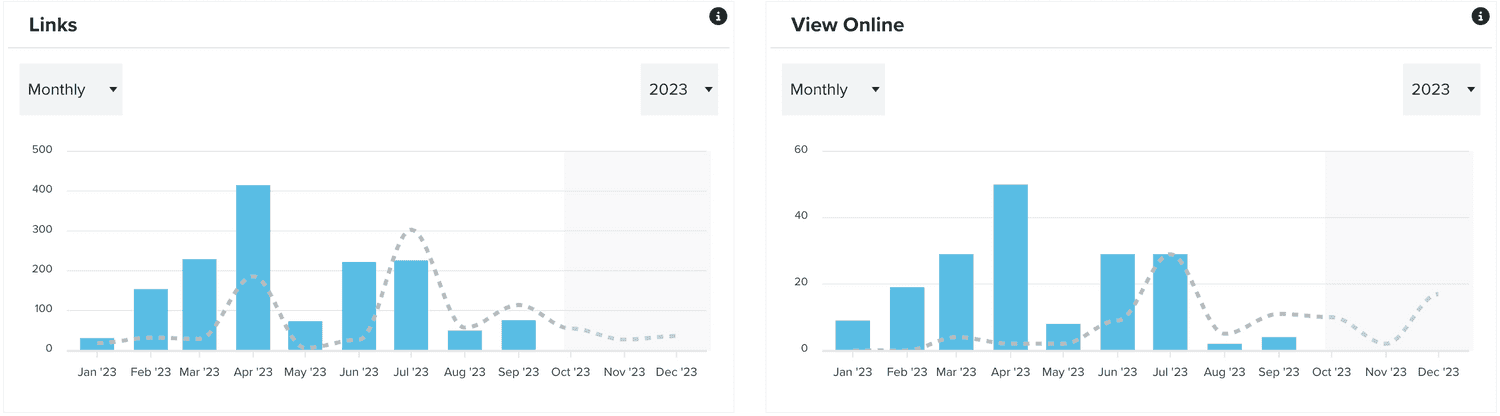
You will also see metrics about when and how many times your users click links in your emails or use the view online link:
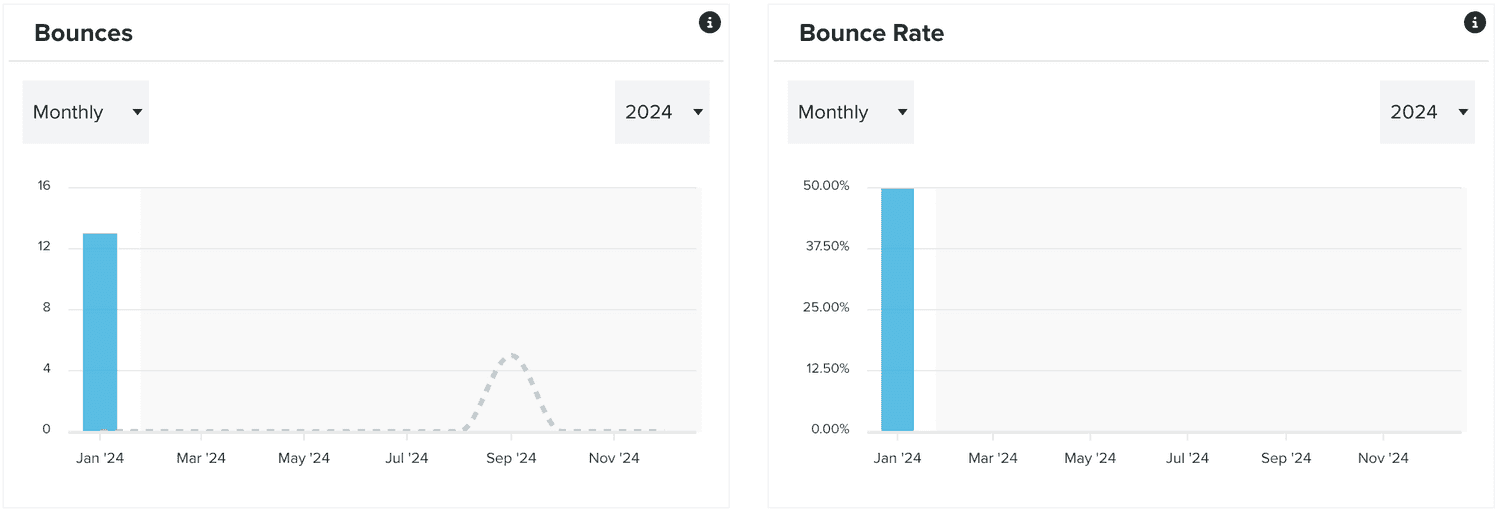
In this tab, you will find charts with an overtime overview of bounces and the bounce rate:
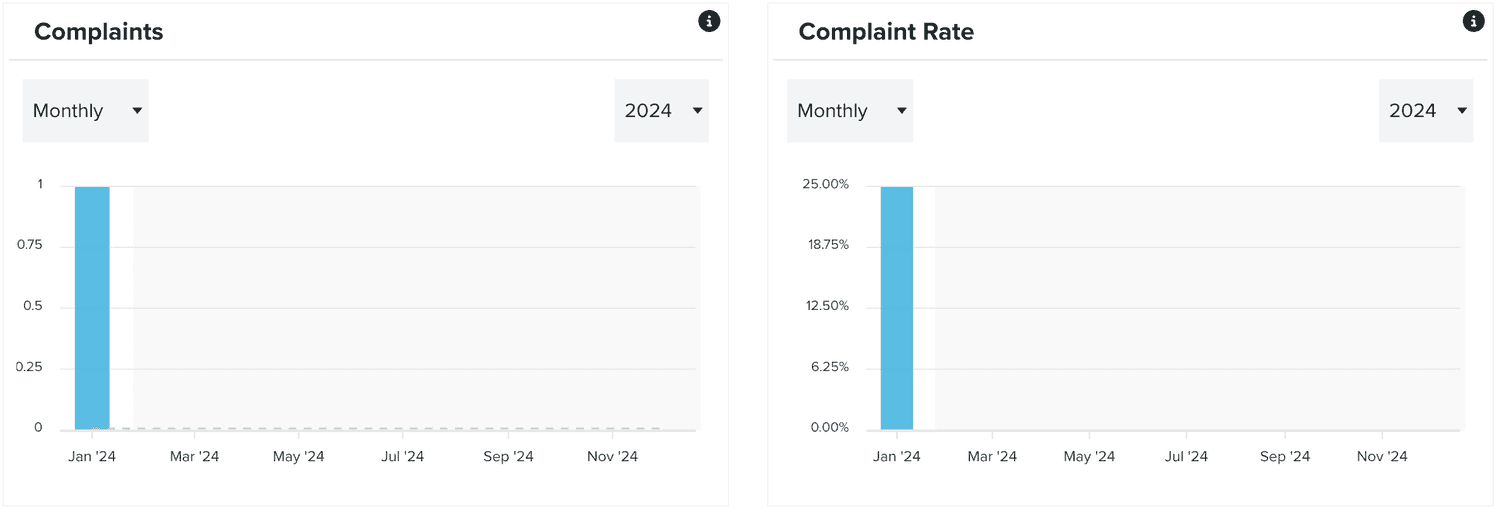
You will also find charts with an overtime overview of complaints and the complaint rate:
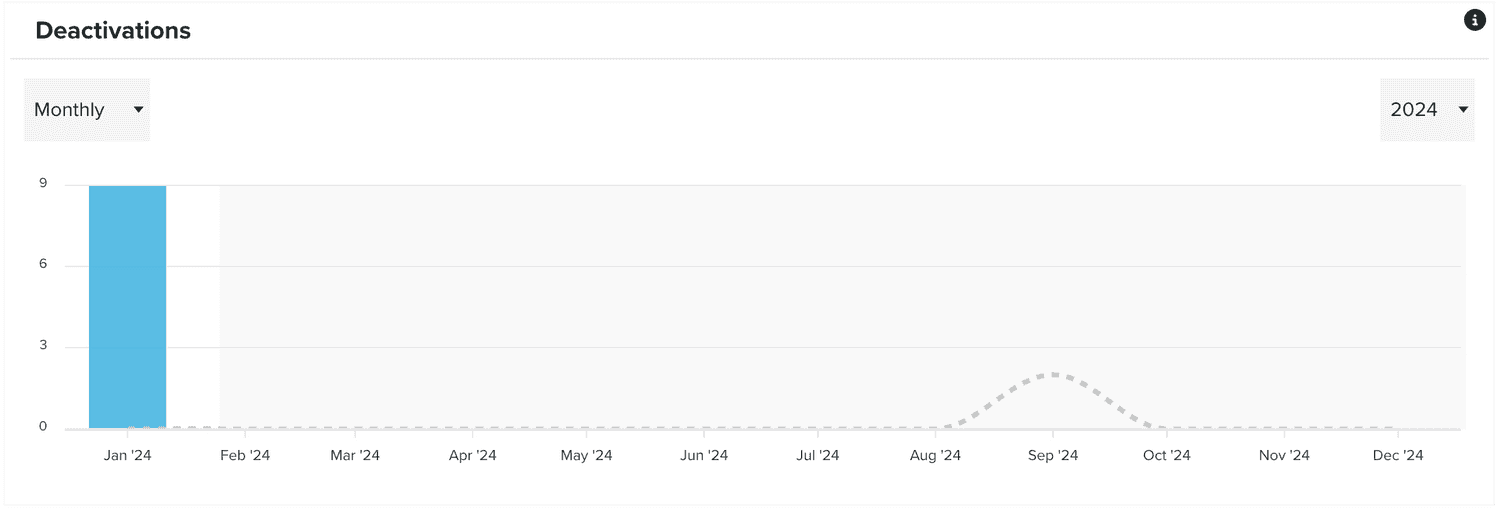
Finally, you will also find an overtime overview email contact's deactivations:
SMS
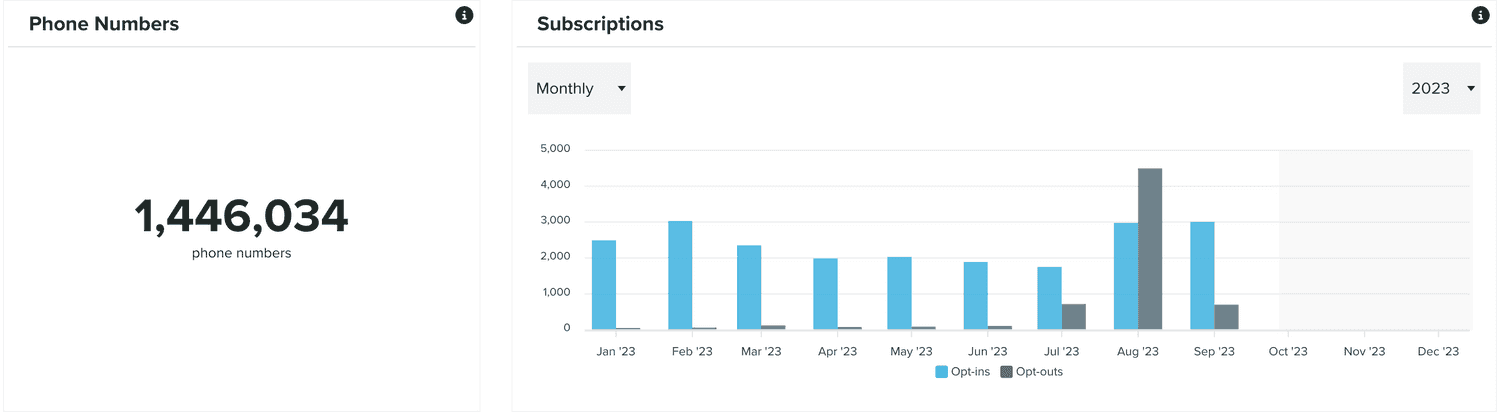
In this tab you will be able to find the total amount of phone numbers registered in your app, and a chart with your opt-in and opt-out metrics:
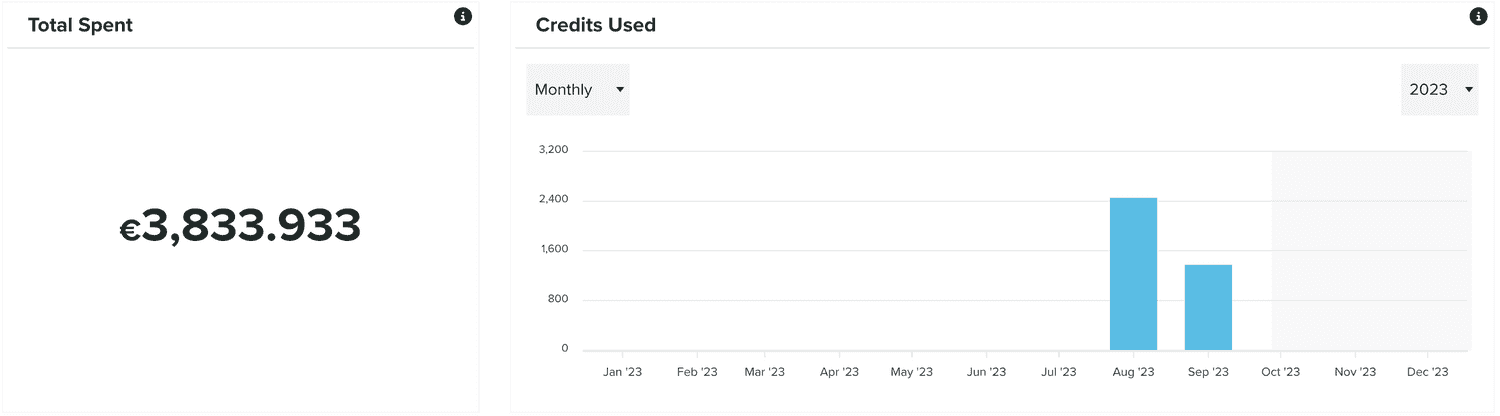
And the round-up of costs associated with text messages, as well as a chart with these charges over time:
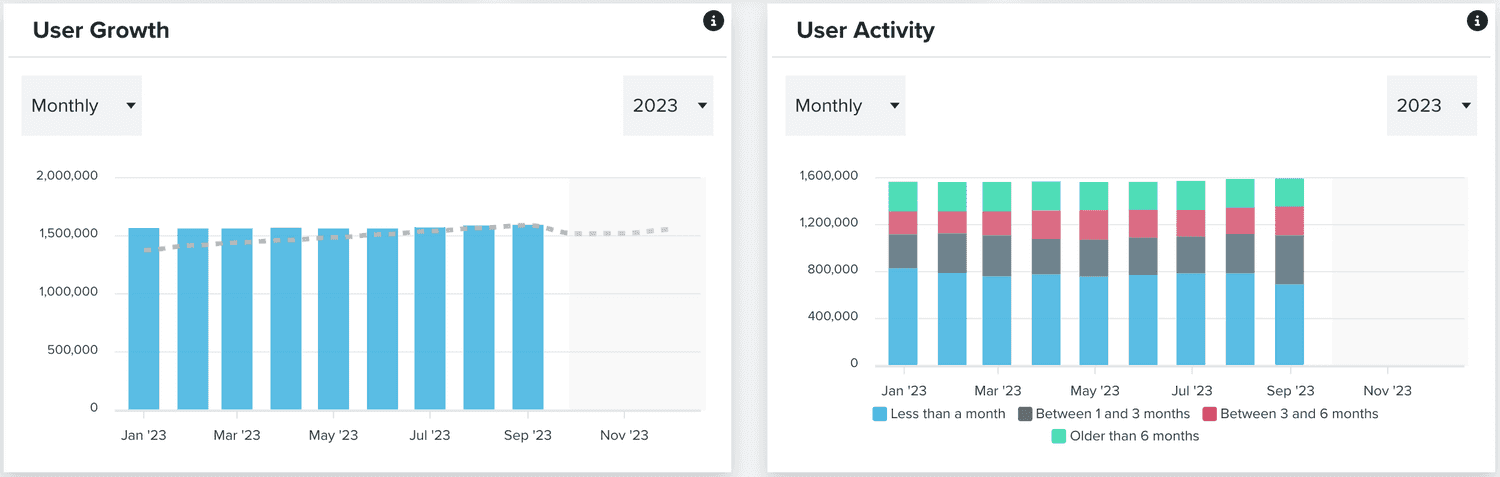
Finally, you will also be able to see an over time breakdown of messages (and the segments used) sent: